What Is Visual Regression Testing and Why It Matters for Modern Websites
Learn what visual regression testing is, how it works, and why modern web teams rely on it to catch UI bugs before users do. Covers workflows, real-world examples, and practical tips for getting started.
What Is Visual Regression Testing and Why It Matters for Modern Websites
Modern websites are complex. Between responsive layouts, dynamic content, third-party widgets, and frequent deployments, the number of things that can go wrong visually is enormous. Visual regression testing exists to catch those problems automatically, before they reach your users.
This article explains what visual regression testing is, how it fits into a modern development workflow, and why teams that skip it keep shipping broken UIs.
Defining visual regression testing
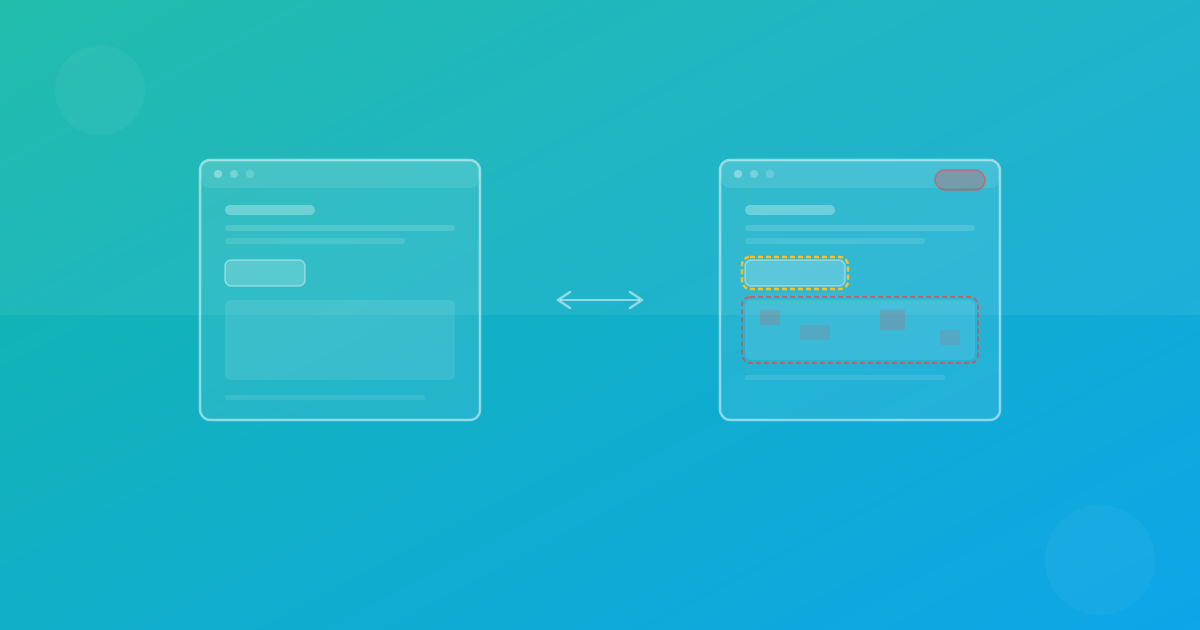
Visual regression testing is the practice of comparing screenshots of your website or application before and after a change. The goal is simple: detect any unintended visual difference so it can be fixed before deployment.
A "visual regression" is any unwanted change in how your UI looks. It might be a button that shifted three pixels to the left, a font that changed weight after a dependency update, or a sidebar that overlaps the main content at a specific screen width.
These bugs are invisible to unit tests and integration tests. Your test suite can report 100% pass rates while your users see a broken layout. Visual regression testing fills that gap by validating what actually appears on screen.
How visual regression testing works
The workflow follows four core steps:
1. Capture baseline screenshots
First, you screenshot your pages in a known-good state. These baselines represent what your UI should look like. You typically capture them across multiple browsers and viewport sizes to cover the matrix your users actually experience.
2. Capture new screenshots after changes
After a code change, the same pages are screenshotted again using the same browsers and viewports. This gives you a direct comparison point.
3. Compare and generate diffs
An automated tool compares each new screenshot against its baseline pixel by pixel. Regions that differ beyond a configurable threshold are highlighted. This threshold is important because minor rendering differences between runs, like sub-pixel anti-aliasing, should not trigger false alarms.
4. Review and approve or reject
A team member reviews each flagged difference. If the change is intentional, the new screenshot becomes the updated baseline. If it is a regression, the team fixes the issue before merging.
This process can run manually, but it delivers the most value when integrated into your CI/CD pipeline so every pull request is automatically checked.
Why modern websites need visual regression testing
Several characteristics of modern web development make visual testing essential rather than optional.
Frequent deployments amplify risk
Teams that deploy daily or multiple times per day have more opportunities to introduce visual bugs. Each deployment is a chance for a CSS change, a component update, or a configuration tweak to break something visually. Without automated visual checks, these issues slip through.
Responsive design multiplies the surface area
A single page might render differently across dozens of viewport widths. A layout that works at 1440px can break at 768px or 375px. Manual testing across every breakpoint is not realistic. Automated screenshot testing captures each viewport systematically, ensuring responsive design testing covers the full range.
Component libraries create hidden dependencies
Modern frontend architectures use shared components. A change to a button component might affect dozens of pages. Visual regression testing catches these cascading effects because it tests the rendered output, not just the component in isolation.
Cross-browser differences persist
Despite improvements in web standards, Chromium, Firefox, and WebKit still render certain CSS properties differently. Font metrics, flexbox behavior, and grid layouts can vary between engines. Cross-browser testing with automated screenshots ensures your site looks correct everywhere, not just in the browser your developers use.
Third-party content introduces unpredictability
Embedded widgets, ads, fonts loaded from CDNs, and other external dependencies can change without warning. Visual monitoring catches these shifts even when your own code has not changed.
What visual regression testing catches that other tests miss
To understand why visual testing matters, consider what it finds that other testing methods do not.
Layout shifts
A div that moved 20 pixels because someone changed a margin on a parent element. Functional tests will not detect this because no behavior changed. Visual tests flag it immediately.
Typography changes
A font that renders at the wrong weight or size after a dependency upgrade. The text is still there, links still work, but the page looks wrong. Screenshot comparison catches the difference.
Color and contrast issues
A background color that changed from the correct brand value to a similar-but-wrong shade. Or a text color that no longer meets accessibility contrast requirements. Visual diffs make these differences obvious.
Overflow and clipping
Content that overflows its container or gets clipped by a parent with overflow: hidden. These bugs are common when content length varies, especially with translated strings in multilingual sites.
Z-index and stacking problems
A modal that renders behind the page content, or a dropdown menu that gets hidden by an adjacent element. These issues are visible to users but invisible to functional tests.
Common misconceptions
"Our unit tests are enough"
Unit tests verify logic. Integration tests verify behavior. Neither verifies appearance. A component can return the correct HTML structure and still render incorrectly because of a CSS change three files away.
"We can catch visual bugs in code review"
Code review is valuable, but reviewing CSS diffs does not reliably predict visual outcomes. A one-line change to a flexbox property can have effects that are impossible to predict without rendering the page. Automated screenshot testing shows the actual result.
"Visual testing is too slow"
Modern visual testing platforms capture screenshots in parallel across multiple browsers. A suite covering 20 pages across three browsers and two viewports can complete in under a minute. The time investment is small compared to the cost of shipping a broken UI.
"It produces too many false positives"
Early visual testing tools had this problem. Current approaches use configurable thresholds, anti-aliasing detection, and region masking to reduce noise. A well-configured suite produces actionable results with minimal false positives.
Practical tips for getting started
Start with your most important pages
You do not need to cover every page immediately. Begin with the pages that matter most: your homepage, pricing page, signup flow, and primary dashboard views. Expand coverage over time as you build confidence in the process.
Define your browser and device matrix
Pick the browsers and viewport sizes that represent your actual user base. Start with Chromium desktop and mobile. Add Firefox and WebKit as your process matures. ScanU supports Chromium, Firefox, and WebKit to cover the three major rendering engines.
Integrate with your CI pipeline
Visual tests deliver the most value when they run automatically on every pull request. Configure your pipeline to capture screenshots and block merges when unreviewed diffs exist. See How It Works for details on how ScanU integrates with CI/CD workflows.
Stabilize your test environment
Use consistent test data, freeze timestamps, and wait for asynchronous content to load before capturing. A deterministic environment reduces false positives and makes results trustworthy.
Build a review habit
The screenshots are only useful if someone reviews them. Assign ownership for different sections of your site and make visual review part of your pull request process, just like code review.
How ScanU supports visual regression testing
ScanU is built to make visual regression testing practical for teams of any size. The platform handles screenshot capture across browsers and devices, generates pixel-level diffs, and provides a review interface where your team can approve or reject changes.
Key capabilities include:
- Multi-browser capture across Chromium, Firefox, and WebKit
- Responsive testing at configurable viewport sizes
- CI/CD integration to run checks on every pull request
- Diff highlighting that shows exactly what changed
- Baseline management with approval workflows
Explore the full list of capabilities on Features and see plan options on Pricing.
Conclusion
Visual regression testing is not a luxury. For any team that ships UI changes regularly, it is a necessary layer of quality assurance. It catches the bugs that unit tests, integration tests, and code review cannot see. It scales where manual QA cannot. And it gives teams the confidence to deploy frequently without worrying about shipping broken layouts.
The question is not whether your team needs visual regression testing. The question is how many visual bugs you are willing to ship before you start.
Check out our FAQ for answers to common questions, or explore How It Works to see how ScanU fits into your workflow.