Visual Regression Testing: What It Is, Why It Matters, and How to Start
A complete introduction to visual regression testing. Learn what causes UI regressions, how baseline and diff workflows catch them, and how to build an approval process that scales.
Visual Regression Testing: What It Is, Why It Matters, and How to Start
Every team has shipped a CSS change that looked fine in one browser and broke something in another. Visual regression testing is the practice that stops these bugs before users see them. This guide covers the concept from first principles through to a working approval workflow.
What is visual regression testing?
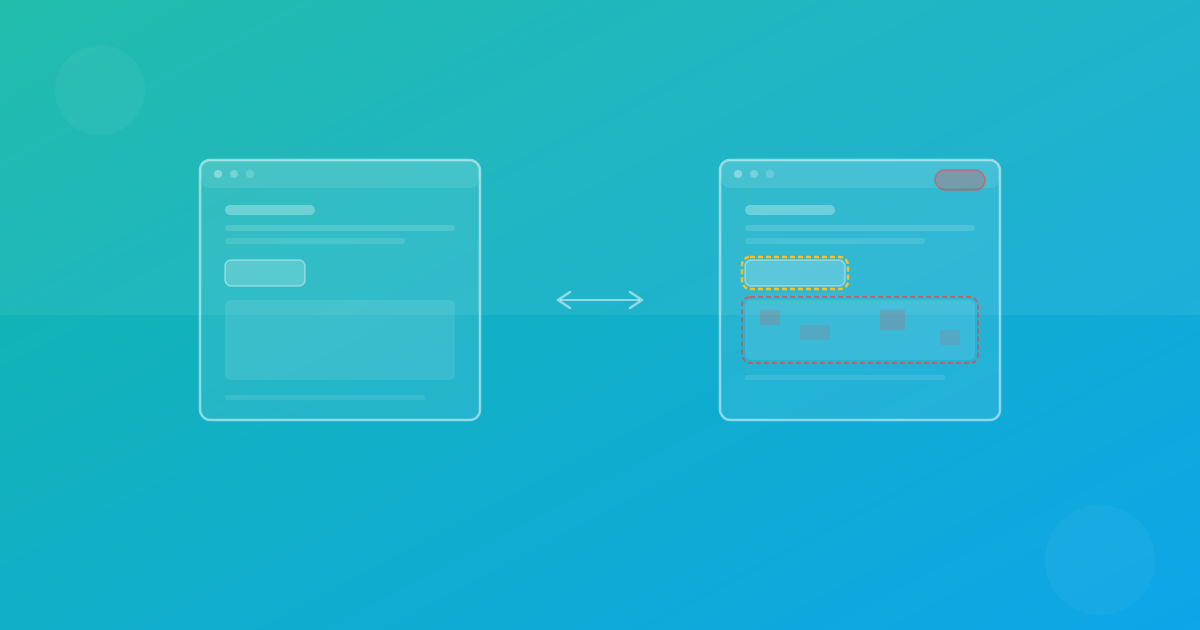
Visual regression testing compares screenshots of your UI before and after a code change. The goal is to detect unintended visual differences automatically, so layout bugs, styling errors, and rendering inconsistencies are caught during development rather than in production.
Unlike unit tests that check logic or integration tests that validate APIs, visual tests validate what the user actually sees. A button can pass every functional test and still be the wrong color, misaligned, or clipped at certain viewport sizes.
Common UI regressions and why they happen
Most visual regressions fall into a few recurring categories:
CSS side effects
A change to a shared class or utility affects components that were not part of the original ticket. Flexbox or grid adjustments in one section ripple into adjacent layouts.
Dependency upgrades
Updating a component library or CSS framework can shift default spacing, border radii, or font rendering. These changes are easy to miss in code review.
Responsive breakpoint drift
A layout works at desktop and mobile widths but breaks at tablet dimensions that nobody tested manually. Breakpoint-specific bugs are among the most common regressions.
Browser engine differences
Chromium, Firefox, and WebKit interpret certain CSS properties differently. Font metrics, sub-pixel rendering, and flexbox gap handling can vary enough to produce visible differences.
Content-driven layout shifts
Longer text, translated strings, or dynamic data can push elements out of alignment. What looked fine with test data breaks with real content.
How baseline and diff workflows operate
The core mechanism of visual regression testing is straightforward:
- Capture a baseline — screenshot your UI in a known-good state across the browsers and devices you care about.
- Capture the current state — screenshot the same pages after your code change.
- Generate a diff — compare every pixel between baseline and current. Flag regions that changed beyond a configurable threshold.
- Review and decide — a human examines each diff and classifies it as intentional, a regression, or noise.
The threshold is important. Pixel-perfect comparison sounds ideal but produces false positives from anti-aliasing differences and sub-pixel rendering. A well-tuned threshold filters noise without hiding real bugs.
Building an approval workflow that scales
Detection is only half the problem. Teams also need a structured review process:
Define ownership
Assign page groups to specific teams or individuals. When a diff appears on a checkout page, the commerce team reviews it. When it appears on the marketing site, the design team reviews it.
Use tiered policies
Not every page needs the same strictness. Revenue-critical pages should block merges on unresolved diffs. Informational pages can use warning-only policies.
Require context in approvals
Every baseline update should include a rationale: "Intentional spacing change per design ticket #412" or "Font rendering noise, threshold adjusted." This creates an audit trail for future reviewers.
Integrate with pull requests
Visual diffs are most useful when they appear alongside code changes in PR reviews. Post diff summaries as comments or link to a review dashboard so reviewers have full context before approving.
Best practices for getting started
Start small
Do not try to cover every page on day one. Pick 10–15 high-value pages: your homepage, pricing page, checkout flow, and primary dashboard views. Expand gradually.
Use consistent environments
Visual tests are reliable only when the rendering environment is deterministic. Use managed cloud browsers or containerized setups to eliminate OS-level rendering differences.
Stabilize dynamic content
Freeze timestamps, use seeded test data, and wait for lazy-loaded content to settle before capturing. This reduces false positives dramatically.
Run on every pull request
Visual tests deliver the most value when they run automatically in CI. Treat visual regressions like failing unit tests: block the merge until the diff is reviewed. See How It Works for an overview of how ScanU fits into this flow.
Tune thresholds intentionally
Start strict and relax only when you can prove the noise is non-actionable. Track threshold changes in documentation so the team understands why each adjustment was made.
Common pitfalls to avoid
- Approving everything blindly — if review fatigue sets in, the process loses value. Keep suites focused to prevent overwhelm.
- Skipping cross-browser checks — testing only Chromium misses Firefox and WebKit regressions. Even a minimal cross-browser matrix adds significant coverage.
- Ignoring flaky tests — intermittent failures erode trust. Investigate and fix the root cause instead of re-running until they pass.
- Updating baselines without review — auto-approving baseline changes defeats the purpose of visual testing. Every update should be a conscious decision.
- Testing in development-only environments — production and staging can differ in fonts, CDN assets, and feature flags. Test against environments that match what users see.
Quick-start checklist
- Identify 10–15 critical pages to cover first.
- Choose your browser/device matrix (start with Chromium desktop + mobile).
- Capture initial baselines in a stable environment.
- Add visual test runs to your CI pipeline on pull requests.
- Define a review policy: who approves diffs and under what criteria.
- Document threshold settings and the rationale behind them.
- Schedule a monthly review to assess false-positive rates and expand coverage.
Frequently asked questions
Do I need visual tests if I already have unit and integration tests?
Yes. Unit and integration tests validate behavior and logic. Visual tests validate appearance. A component can pass all functional tests and still render incorrectly due to CSS changes, layout shifts, or browser differences.
How long does it take to set up?
With a managed platform like ScanU, you can capture your first baselines in minutes. The larger time investment is building the review habits and CI integration around the results. Check Features for the full list of platform capabilities.
What about dynamic content like user data or ads?
Use seeded test data for pages with dynamic content. For sections you cannot control (third-party widgets, ads), consider masking those regions or using higher thresholds. The goal is actionable signal, not pixel-perfect coverage of every element.
How do I handle intentional design changes?
When a diff is caused by a deliberate design update, approve the new baseline and include a note explaining the change. This keeps your baseline history clean and reviewable.
What browsers should I test?
Start with Chromium (Chrome) and Firefox for the highest coverage. Add WebKit if your audience includes significant Safari traffic. ScanU supports Chromium, Firefox, and WebKit out of the box.
Continue with ScanU
Visual regression testing works best when the tooling handles screenshot capture and diffing while your team focuses on review decisions. Explore plan options on Pricing, see common implementation questions in the FAQ, and review platform capabilities on Features.