Cross-Browser Testing for Modern Web Apps: A Practical Workflow
How to build a practical cross-browser testing workflow for modern web apps. Covers device and browser matrices, responsive breakpoints, traffic-based prioritization, and CI strategy.
Cross-Browser Testing for Modern Web Apps: A Practical Workflow
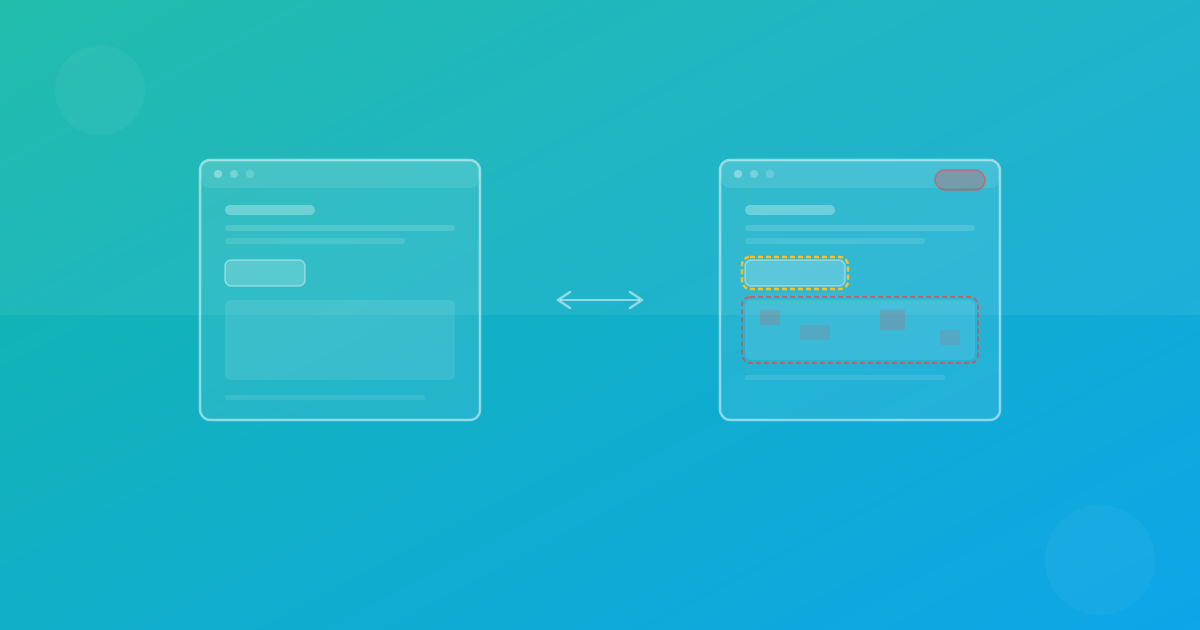
Users visit your site on Chrome, Firefox, Safari, and everything in between. A layout that renders perfectly in one browser engine can break in another due to CSS interpretation differences, font rendering, or flexbox behavior. Cross-browser testing ensures your UI looks correct everywhere that matters.
This guide provides a practical workflow: how to choose what to test, how to prioritize, and how to run cross-browser checks efficiently in CI.
Why cross-browser testing still matters
Modern browsers are more standards-compliant than ever, but they are not identical. Three rendering engines dominate the web:
- Blink (Chrome, Edge, Opera) — the most widely used engine.
- Gecko (Firefox) — independent engine with its own CSS interpretation.
- WebKit (Safari) — used on all iOS browsers and macOS Safari.
Differences between these engines are subtle but real. Grid and flexbox gap calculations, font shaping, sub-pixel rounding, and scroll behavior can all produce visible layout variations. If you only test on one engine, you are blind to regressions on the others.
Building your browser and device matrix
An exhaustive test matrix (every browser, every device, every page) is impractical. The goal is representative coverage weighted by business impact.
Step 1: Audit your traffic data
Check your analytics for the browser and device breakdown of your actual users. A typical distribution might look like:
- Chrome desktop: 45%
- Chrome mobile: 20%
- Safari mobile: 15%
- Firefox desktop: 8%
- Safari desktop: 7%
- Other: 5%
Prioritize the combinations that cover 85–90% of your traffic.
Step 2: Select representative breakpoints
Modern responsive design uses fluid layouts, but visual testing needs fixed viewports. Choose breakpoints that represent each device class:
- Mobile: 375×667 (iPhone SE equivalent)
- Tablet: 768×1024 (iPad equivalent)
- Desktop: 1440×900 (standard laptop)
- Wide desktop: 1920×1080 (full HD monitor)
You do not need all four for every page. Use mobile + desktop as the baseline and add tablet for pages with complex responsive behavior.
Step 3: Map pages to risk levels
Not every page needs the same coverage depth:
- High risk (homepage, pricing, checkout, dashboard): all browsers, all breakpoints.
- Medium risk (feature pages, documentation): primary browser + mobile and desktop.
- Low risk (legal pages, static content): primary browser, desktop only.
This tiered approach keeps your test suite fast while covering the surfaces that matter most.
Responsive breakpoints and where things break
The most common cross-browser responsive bugs appear at these transition points:
Navigation collapse
Hamburger menus, dropdown positioning, and sticky headers behave differently across engines. Test navigation at every breakpoint, especially the transition between mobile and desktop layouts.
Grid and flexbox wrapping
A three-column grid that fits on desktop may wrap to two columns at tablet width. If the wrapping threshold differs between Chromium and WebKit by even a few pixels, one browser shows a broken layout.
Typography reflow
Font metrics differ across engines and operating systems. A headline that fits on one line in Chrome may wrap to two lines in Firefox, pushing content below it out of alignment.
Overflow and clipping
Scrollable containers, text truncation, and overflow-hidden behavior have subtle differences across engines. Test pages with data tables, long content, and card layouts at narrow widths.
Prioritizing by traffic and business impact
Not all browsers deserve equal attention. Use a weighted scoring model:
| Factor | Weight |
|---|---|
| Traffic share | 40% |
| Revenue contribution | 30% |
| Support ticket frequency | 20% |
| Strategic importance | 10% |
A browser with 8% traffic but 25% of support tickets about layout issues deserves more testing investment than raw traffic numbers suggest.
CI strategy for cross-browser checks
Running cross-browser tests on every pull request can be slow. Use a layered execution model:
On every PR
Run your primary browser (Chromium) at mobile and desktop breakpoints for high-risk pages. This gives fast feedback — typically under 2 minutes.
On merge to main
Expand to all three browser engines (Chromium, Firefox, WebKit) and add tablet breakpoints for high and medium risk pages.
Nightly or weekly
Run the full matrix: all browsers, all breakpoints, all pages. This catches regressions that slipped through the faster PR checks.
# Example: layered CI matrix
name: Visual Regression
on:
  pull_request:
    branches: [main]

jobs:
  visual-pr:
    runs-on: ubuntu-latest
    strategy:
      matrix:
        browser: [chromium]
        viewport: [375x667, 1440x900]
    steps:
      - uses: actions/checkout@v4
      - run: npm ci
      - run: npm run build
      - run: npm run test:visual -- --browser=${{ matrix.browser }} --viewport=${{ matrix.viewport }}
How to interpret cross-browser results
When a visual diff appears, determine the cause before deciding on action:
Engine-specific rendering
If a diff appears only in Firefox but not Chromium or WebKit, it is likely a Gecko-specific rendering behavior. Check CSS properties like gap, aspect-ratio, or custom fonts for known engine differences.
Font rendering differences
Sub-pixel font rendering varies by OS and engine. Small text-related diffs (anti-aliasing, kerning) are usually noise. Use a slightly higher threshold for text-heavy pages.
Genuine regressions
If the same diff appears across multiple browsers, it is almost certainly a code change — not an engine quirk. These diffs should block the merge until resolved.
Responsive-only issues
Diffs that appear only at specific breakpoints often indicate CSS media query problems or container query edge cases. Reproduce locally at the exact viewport size before fixing.
Recommended testing cadence
| Activity | Frequency | Scope |
|---|---|---|
| PR visual checks | Every PR | Primary browser, 2 breakpoints, high-risk pages |
| Merge checks | Every merge to main | All browsers, 3 breakpoints, high + medium risk pages |
| Broad scan | Weekly | Full matrix, all pages |
| Matrix review | Monthly | Review traffic data, adjust priorities |
| Threshold tuning | Quarterly | Analyze false-positive rates, adjust thresholds |
Practical tips for modern frameworks
Single-page applications
SPAs require navigation to specific routes before capture. Ensure your test setup waits for client-side rendering to complete and network requests to settle.
Server-side rendered apps
SSR apps may show hydration mismatches that create visual flicker. Capture after full hydration to avoid false diffs.
Design system components
If you maintain a component library, test it independently in a Storybook or playground environment. Component-level visual tests catch drift before it reaches your application pages.
Continue with ScanU
ScanU supports Chromium, Firefox, and WebKit with six device presets, so you can build a practical cross-browser matrix without managing browser infrastructure. Explore plan options on Pricing, see how testing works on How It Works, and check implementation details in the FAQ.