How to Detect Layout Bugs Automatically Before Release
A practical guide to detecting layout bugs automatically using screenshot diff workflows, cross browser checks, and CI/CD review policies with ScanU.
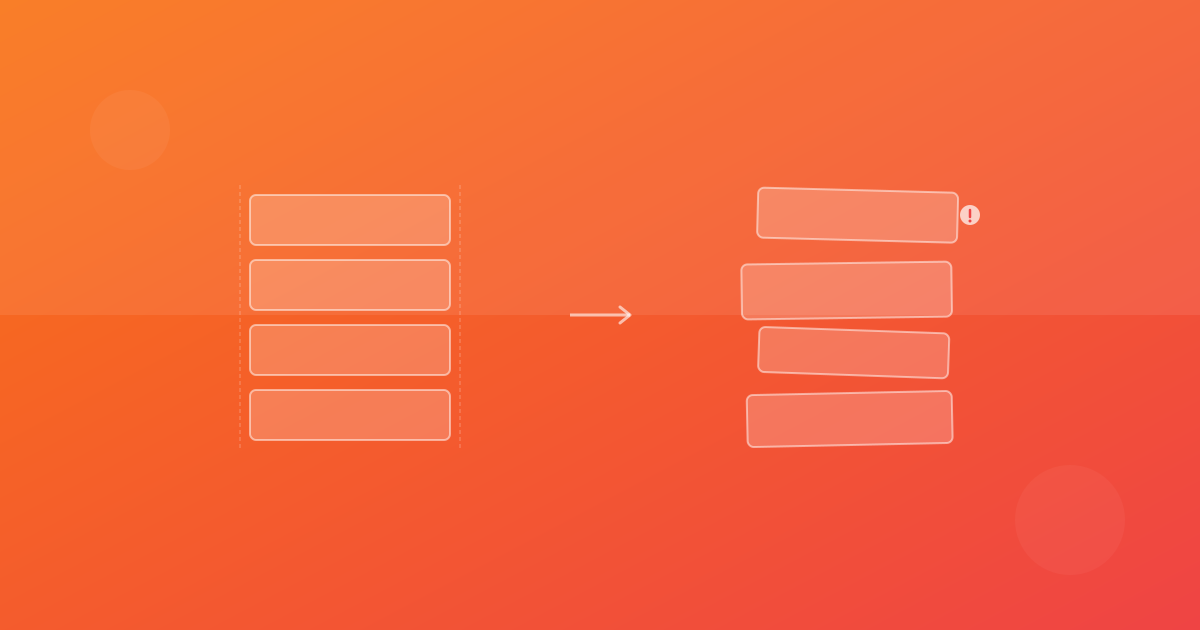
How to Detect Layout Bugs Automatically Before Release
Teams usually discover layout bugs too late: after deployment, after support tickets, or after conversion drops. To detect layout bugs automatically, you need more than screenshots. You need a repeatable system: stable capture, baseline comparison, triage workflow, and clear release policy.
What “automatic detection” really means
Automatic does not mean zero human review. It means the detection step is automated and consistent, while humans validate intent. In a strong UI regression testing workflow:
- Scan runs automatically on code changes.
- Diffs are generated automatically.
- Review context is posted automatically.
- Merge decisions follow predefined policy.
This is the difference between occasional manual checks and dependable quality control.
The layout bugs most teams miss
- CTA buttons shifting below fold on mobile.
- Cards overlapping due to content growth.
- Sticky headers hiding in-page anchors.
- Form fields clipping in one browser.
- Navigation wrapping unexpectedly at tablet widths.
These are visual problems that unit tests rarely catch.
Build your detection pipeline in layers
Layer 1: Deterministic capture
Ensure screenshots are comparable over time:
- Stable test data.
- Consistent load completion point.
- Reduced animation noise.
- Predictable viewport presets.
Layer 2: Baseline screenshot comparison
Use a baseline reference from a verified run. Compare each new run against that baseline for every browser/device context.
Layer 3: Classification workflow
Classify every diff as intended, regression, or noise. Never skip classification.
Layer 4: CI/CD enforcement
Apply merge policy to critical pages so regressions cannot silently ship.
Why cross browser layout testing is required
A layout bug might appear only in one engine due to font metrics or CSS interpretation differences. If you run only Chromium, your coverage is incomplete. Add Firefox and WebKit at least for high-impact pages.
Cross browser visual testing is one of the highest-leverage improvements for teams that already run screenshot checks but still see production UI incidents.
Managing dynamic content without losing trust
Dynamic pages can produce noisy diffs. Avoid the common mistake of removing them entirely from coverage. Instead:
- Segment into stable and volatile groups.
- Use moderated thresholds on volatile pages.
- Keep strict thresholds on critical stable pages.
- Prefer seeded data for important states.
The goal is maintainable signal.
Pull request workflow that scales
A scalable PR review pattern:
- CI posts ScanU run summary.
- Reviewer opens changed screenshots.
- Reviewer checks browser/device context.
- Team decides accept/reject with rationale.
- Baseline updates occur only after approval.
This creates traceability and helps new team members learn quality standards quickly.
What to document in your visual QA policy
- Which pages are release-critical.
- Who can approve baseline updates.
- Threshold defaults by page category.
- Expected response times for failed checks.
- Escalation path for ambiguous diffs.
Good documentation turns visual bug detection into an operational process, not tribal knowledge.
Example workflow with Playwright + ScanU
Use Playwright for deterministic navigation and state setup, then run ScanU for managed screenshot diff and review. Typical pattern:
- Playwright logs in and reaches stable UI states.
- ScanU captures selected pages and contexts.
- Diffs are reviewed in centralized dashboard.
- CI gate enforces policy.
This hybrid approach gives flexibility plus platform-level visibility.
KPIs for automated layout bug detection
Measure these over time:
- Pre-merge visual bugs found per sprint.
- False-positive rate.
- Time to resolve regression diffs.
- Number of post-release layout incidents.
- Percent of critical pages with active visual coverage.
If KPIs stagnate, improve stability before expanding page count.
Adoption roadmap for small teams
Week 1:
- Select 8–12 core pages.
- Create initial baselines.
- Define owners.
Week 2:
- Add PR scan automation.
- Publish triage checklist.
Week 3–4:
- Add cross browser checks for highest-risk pages.
- Introduce merge gate for critical diffs.
Month 2:
- Expand coverage incrementally.
- Track KPI trends and tune thresholds.
Final guidance
If your goal is to detect UI bugs automatically, focus first on process quality: stable capture, consistent comparison, and explicit review rules. Tools help, but discipline creates reliability. With ScanU, teams can centralize screenshot diff evidence and baseline history while integrating visual checks into normal release cadence.
Continue with ScanU
See available plans on Pricing, common implementation questions on FAQ, and platform capabilities on Features.
Practical examples of automated detection rules
You can make review faster with lightweight rules tied to diff context:
- Any regression in checkout pages: auto-escalate to blocking review.
- Any regression in legal pages: warning-only unless navigation is affected.
- Mobile-only navigation regression: assign directly to frontend platform team.
- Typography-only micro-diffs below threshold on low-risk pages: informational.
These rules do not replace human judgment, but they reduce routing delay and make pipelines more predictable.
Integrating detection with release calendars
Visual risk is often highest near campaigns, product launches, and major dependency upgrades. Increase scan frequency during these windows. A temporary “heightened visual guard” mode can include broader browser/device coverage and stricter gating for conversion-critical pages.
After the event, return to standard cadence to control cost and reviewer load. This adaptive model is often more effective than static always-on maximum coverage.
Training new reviewers
New reviewers should learn three habits quickly:
- Always verify context (page/browser/device/environment).
- Separate intended design evolution from unintended breakage.
- Leave concise rationale for every baseline decision.
Short onboarding guides and example diffs dramatically improve consistency in the first month of adoption.
Long-term optimization loop
Every quarter, run a visual QA retro:
- Which regressions escaped detection?
- Which diffs consumed time without value?
- Which page groups need expanded coverage?
- Which thresholds should be tightened?
This loop keeps automated visual testing aligned with product reality and prevents process decay.